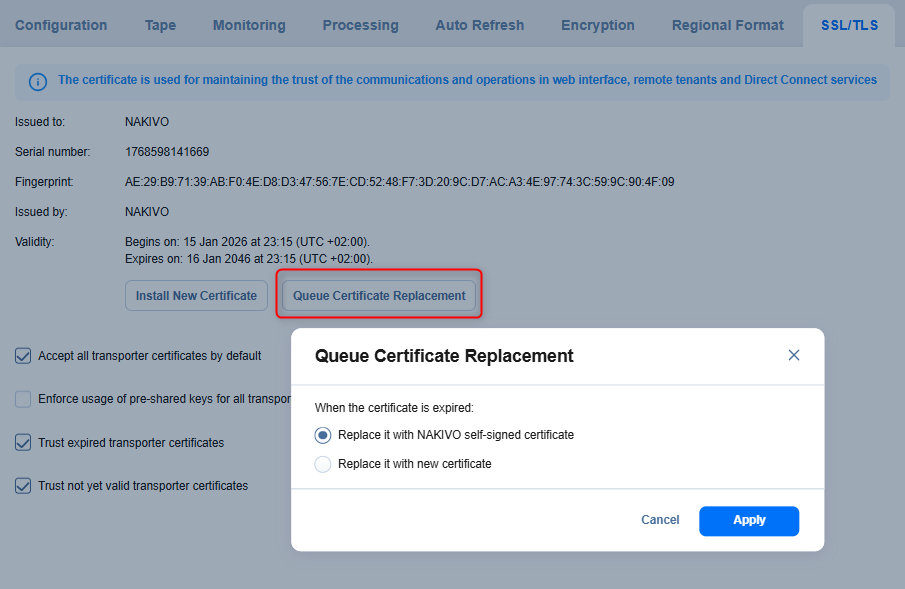
Configuring SSL/TLS Settings
-
Install new certificate: A dialog opens allowing you to install a new TLS/SSL certificate for the NAKIVO Backup & Replication web interface. Certificates are generated either internally or through certification authorities. Proceed as follows to install a new certificate:
-
Click Browse and navigate to the location of either of the following certificate file types:
-
Private key: A file in the *.key format.
-
Private key password (optional): A password for your private key.
-
Certificate file: A file in the *.pem, *.crt, *.cer, *.p7b, or *.p7s format.
-
Intermediate certificate (optional): A file in one of the following formats: *.pem, *.crt, *.cer, *.p7b, *.p7s.
-
-
- Queue Certificate Replacement: Opens a dialog that allows you to define how the system will replace the current TLS/SSL certificate after it expires. You can choose one of the following options:
Replace it with NAKIVO self-signed certificate: Automatically generates and applies a new self-signed certificate after the current certificate expires.
Replace it with new certificate: Allows you to manually provide and install a new certificate to replace the expired one.
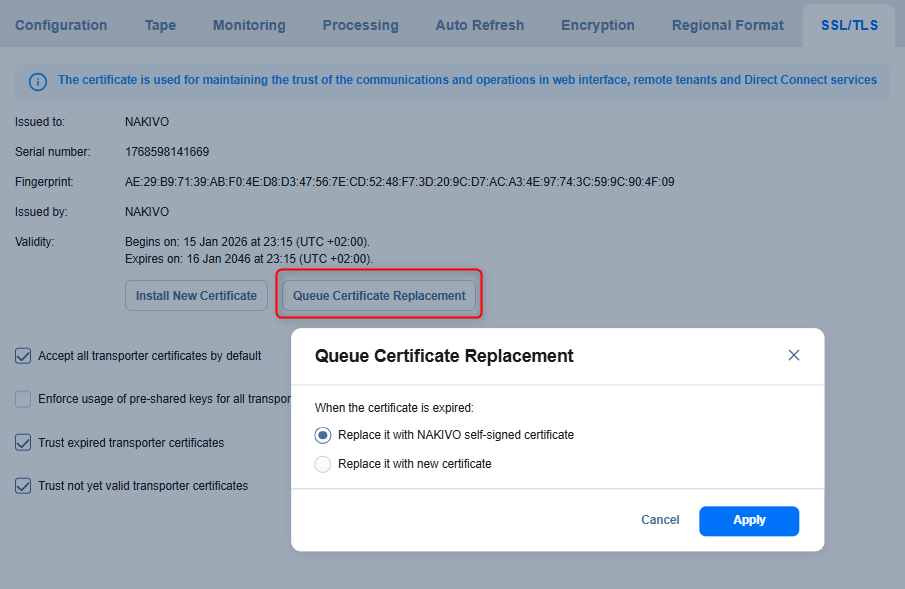
Click Apply to save the selected behavior.
-
Accept all transporter certificates by default: Select this option to accept all transporter certificates automatically.
-
Enforce usage of pre-shared keys for all transporters: Selecting this option makes sure that transport functions only when a pre-shared key is installed.
-
Trust expired transporter certificates: Selecting this option makes the solution trust the expired self-signed transporter certificates.
-
Trust not yet valid transporter certificates: Select this option to allow the solution to trust Transporter certificates that are not yet valid. For improved security, it is recommended to keep this option disabled.
With these settings, you can install and manage TLS/SSL certificates for the web interface, define how transporter certificates are validated, enforce the use of pre-shared keys, and control trust behavior for self-signed or expired certificates.
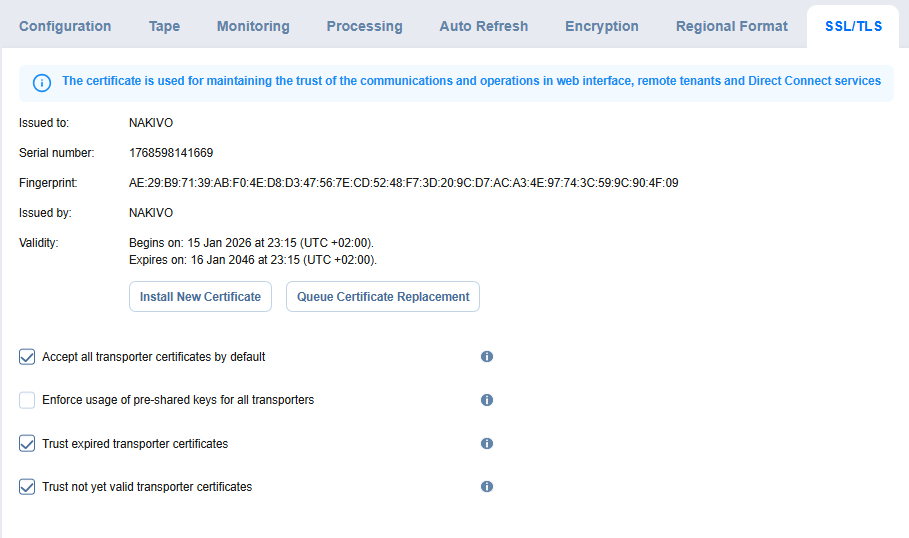
Set the following options: